
Step 1: Add additional practices to your C the Signs toolbar.
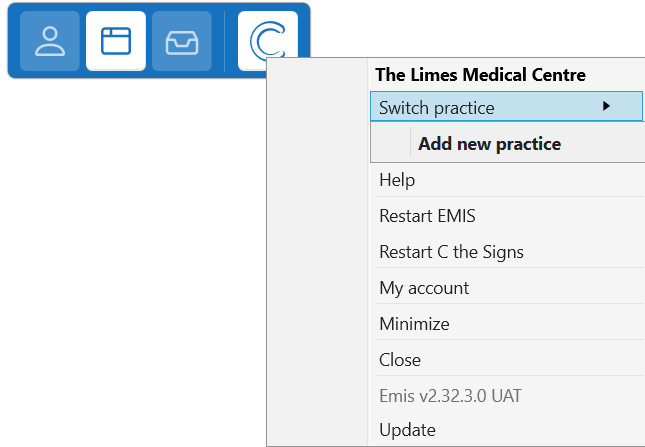
- Click on the fourth button on the C the Signs toolbar.
- Click on ‘Switch practice’ and then ‘Add new practice’.
- You will be prompted to verify your access to the GP practice with your NHS Care Identity. Click ‘Verify Identity’ and follow the instructions.
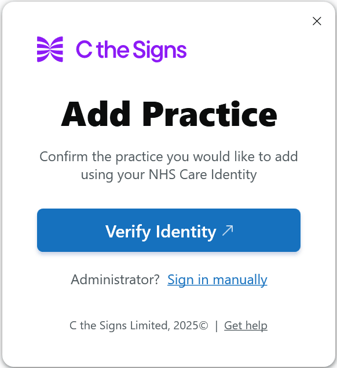
The new practice will be added to your C the Signs toolbar. You can repeat this process with as many practices as you need.
Step 2: Switch practice
- When you next log in to EMIS, we will detect which practice you have open and switch to this practice in C the Signs. You will see a notification to inform you that this has been switched.
Please note that if you change computers you will need to repeat the above steps to re-add the practices to the new computer.